Digital Citizenship Projects Students Love: K-5 Activities That Actually Work
If you've been teaching digital citizenship the same way for years (a unit in September, a quick lesson during Digital Citizenship Week, maybe a video link before a test), you already know what I know: it doesn't stick.
Not because our students aren't paying attention. But because digital citizenship isn't something you teach once. In today's digital age, kids are on digital devices every single day of their lives, and the concept of digital citizenship has to be woven into the way we teach, not tacked on once a year.
And the only way kids will actually remember it? Projects they love.
This is the second post in my digital citizenship series. If you haven't read the first blog post on digital citizenship lessons for elementary students, start there. It sets up the "why" behind everything I'm about to share.
Why This Matters More Than We Realize
When my son was in 4th grade, he searched for Lego Batman online. What popped up wasn't Lego Batman.
He didn't tell me until he was a senior in high school.
When he finally told me, I braced for my own reaction. But the first thing that came over me wasn't anger. It wasn't even embarrassment about his search history. It was grief, because he had carried this, alone, for almost a decade. I felt like I had failed him.
I'm genuinely thankful God gave me the presence of mind in that moment to not react with judgment. He wasn't in trouble. He didn't need a lecture. He needed to finally set it down. But that gratitude doesn't erase the weight of it. My own child didn't feel safe telling me for years.
That's my why. That's why I don't teach dig cit (as we sometimes call it in tech lab) like it's just another unit. And that's why I build projects my students actually love, because I want these conversations to happen so often, in so many different ways, that when something goes wrong (and it will), they'll come tell someone.
The Fundamentals of Digital Citizenship: Topics Every K-5 Teacher Should Cover
Before we jump into the projects, let's make sure we're covering the right ground. The fundamentals of digital citizenship aren't complicated, but they do need to be revisited at every grade level in different ways.
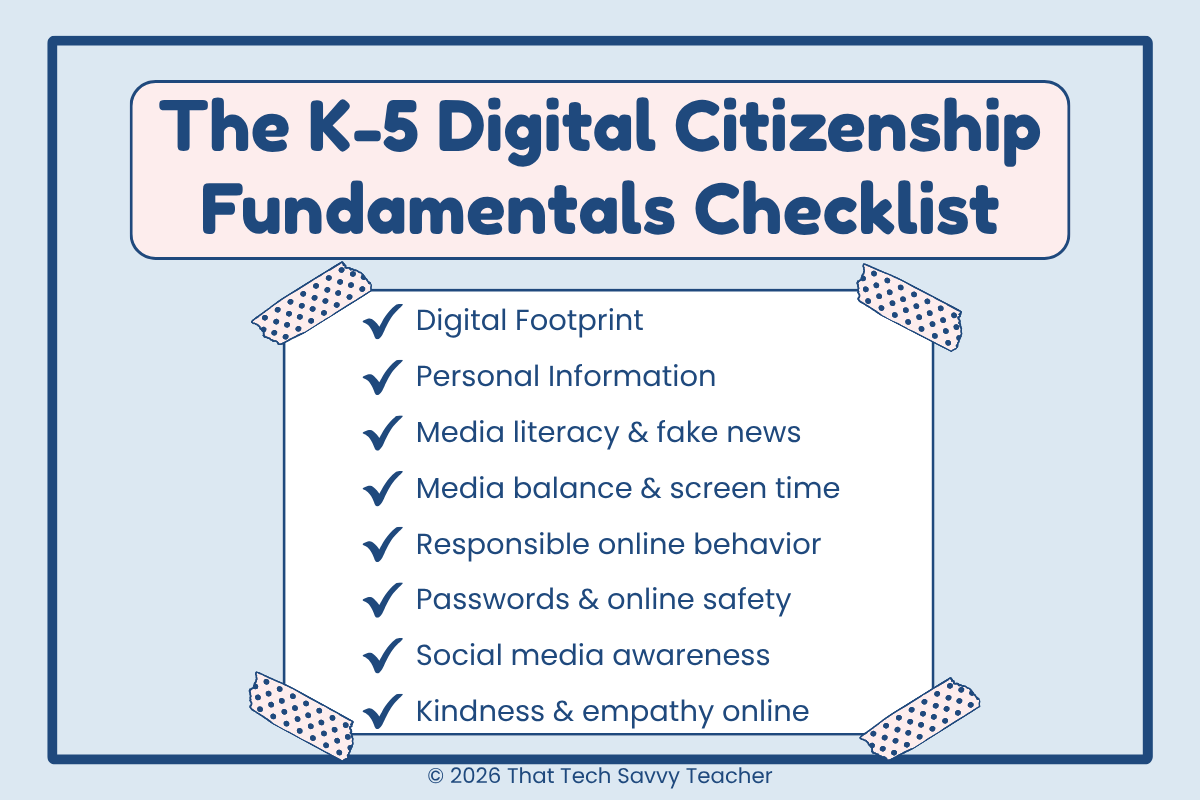
Here are the digital citizenship topics I work into my K-5 tech lab throughout the school year:
Digital footprint. Everything we post, search, and share online leaves a trace. Even young learners need to understand that their digital reputations start now, not when they get to middle school or high school.
Personal information. What to share, what to keep private, and how to recognize when someone online is asking for something they shouldn't. This one matters most for young people just starting out, but it needs constant reinforcement through 5th grade.
Media literacy, fake news, and critical thinking. Not everything online is true. Teaching critical thinking around what kids see online is one of the most important concepts we can build, especially as AI-generated images and fake news blur the lines further. Even 2nd grade students can start asking "Is this real?" as a first step.
Media balance and digital distractions. Helping kids recognize when they're spending too much screen time and how to make a good decision about digital distractions in their daily lives. Media balance is a digital citizenship skill they'll carry into adulthood.
Responsible online behavior. How to be kind, how to pause before posting, how to build healthy online communities even at the elementary level. This is where empathetic digital citizens are made, and where we plant the seeds of personal responsibility.
Passwords and online safety. Keeping accounts secure, knowing what a safe website looks like, and understanding why we don't click random links even when the internet connection feels harmless.
Social media awareness. Even if our K-5 students aren't legally allowed on social media platforms yet, many of them are already watching siblings, parents, and online creators. They need the fundamentals of digital citizenship before they ever make an account.
These are the important concepts that set the foundation. The projects below are how we make them stick.
Why "Projects Students Love" Beats "Lessons Students Sit Through"
Here's what I've learned teaching technology to K-5 students for years: kids don't remember the worksheet. They remember what they made.
They remember the PSA poster they designed. The password they cracked in a game. The scenario they had to solve in a digital escape room. They remember the projects that let them think, create, and talk about real problems in the online world.
When Common Sense Media retired their interactive games a while back, I lost some of my favorite teaching tools overnight. Students loved those games. So I started building my own: Wordwall games, Canva activities, Google Slides projects, digital board games, escape rooms, and now maze games too. Not because I wanted to reinvent the wheel, but because I wanted my students to have interactive lessons and hands-on digital citizenship activities that actually stuck with them.
Projects work because they give kids ownership. And when kids own the message, they remember the message.
My Go-To Formula: Video, Discussion, Project or Game
Every digital citizenship lesson I teach follows the same simple structure:
Watch a short video to introduce the concept
Have a real conversation about what they saw (and what they've seen in their own everyday lives)
Do a project or play a game that reinforces the rule
That's it. No over-engineering. No 45-minute lectures. Just hook, talk, do.
This is a great way to boost student engagement without burning class time. The video link pulls them in, the discussion gives them ownership, and the project locks it in.
The discussion piece is where the magic happens. Kids will share. They'll tell you about the time a sibling got scammed, the weird message someone sent in an online game, or the ad their grandma clicked on. Sometimes it's funny. Sometimes it's heartbreaking. But those stories are where the real teaching happens, because it's connected to their daily lives, not a hypothetical.
Whether you're a tech teacher leading digital citizenship across the school community, or a classroom teacher squeezing it in during your language arts or social studies block, this formula works for every grade from Pre-K through high school.
The Digital Citizenship Projects My K-5 Students Actually Love
Here are the projects and activities that consistently work. The ones kids ask to do again, the ones they bring up weeks later, the ones that have actually shifted how they behave online.
1. Google Slides Poster Projects (3rd-5th)
If I had to pick one type of digital citizenship project that never misses, it's a Google Slides poster project. Students love them because they get to design. Teachers love them because they build real digital citizenship skills while teaching online safety.
Public service announcements (PSAs) are my absolute favorite format because they ask students to teach what they've learned, which is when you really see it click.
I have two go-to poster projects:
Digital Citizenship PSA Poster Project. Students create their own public service announcement poster on a digital citizenship topic of their choice. Perfect for 4th and 5th grade.
Internet Safety Poster Project. More focused on online safety rules, great for introducing the core concepts before moving into PSA work.
Both include step-by-step video tutorial and students templates so students aren't starting from a blank slide.
Want to extend the project? Have students write a short essay or caption to go with their poster explaining what they want other kids to learn. Two skills, one assignment.
2. Click & Color Activities (K-5)
For young learners (or as a quick low-prep activity for any grade), I love Click & Color Google Slides. It's simple, engaging, and perfect for stations or early finishers.
The Digital Citizenship Click & Color Bundle covers online safety topics in a way even K-2 students can handle independently, which is a huge win for tech teachers.
3. Interactive Online Games (Free!)
Games are non-negotiable in my classroom. They're my favorite way to review, assess understanding, and keep digital citizenship fresh throughout the year. I've built a growing library of free games on Wordwall and Canva that anyone can use. No student accounts, no sign-ups, no mess:
Digital Citizenship Game for K-2
Internet Safety Quiz
Cyberbullying Challenge
Intellectual Property Showdown
Digital Talk Detective
Password Activity (K-2 and upper elementary versions)
Interactive Safety Choice Game
All of these links are in my free Digital Citizenship Resource Guide. Just grab the whole thing instead of hunting them down one by one.
4. Digital Board Games & Escape Rooms
When I want to dedicate a full class period to a big review, nothing beats a digital board game or digital escape room. Students work through scenarios, solve puzzles, and apply everything they've learned about online safety, digital footprints, personal information, and what it means to be a good citizen in a digital world.
These are especially great for end-of-unit review, substitute plans, or the week before a break when you need something engaging that still counts as instruction.
5. Coming Soon: Digital Citizenship Maze Games
I'm currently building maze-style games (think Pac-Man with a digital citizenship twist) and more escape rooms and board games. My goal is to keep adding fresh interactive activities and new tools so teachers never run out of ways to revisit these topics throughout the year.
Because here's the truth: one project isn't enough. Kids need to see these concepts again and again, in different formats, across the whole school year. That's how it sticks.
6. Low-Lift Ideas That Still Work
Not every lesson has to be a big project. Some of my favorite digital citizenship activities take under ten minutes:
Padlet response boards. Post a question like "What would you do if someone you didn't know messaged you in a game?" and have students respond. Reading their answers tells you exactly what they still need to hear.
Vocabulary flashcards. Digital citizenship has its own language (digital footprint, digital reputation, phishing, cyberbullying, etc.). Flashcards, even digital ones in Google Slides, help students build fluency with the concepts.
Current events discussions. When a digital citizenship story shows up in the news, talk about it. These real-world moments are some of the most powerful teaching opportunities you'll get.
Read-aloud picture books. There are some wonderful books for elementary students on internet safety and kindness online that open up great conversations with young learners.
3 Mistakes Teachers Make With Digital Citizenship
Most teachers have the right heart for this. But here are three common traps I see (and some I've fallen into myself).
Mistake #1: Treating It Like a One-and-Done Unit
Digital citizenship is not a unit. It's a year-round, every-class, every-subject-area conversation.
Bring it up when students are lining up. Bring it up when they're waiting for their classroom teacher to come pick them up. Bring it up when something happens in the news. Use every spare minute.
Kids will talk. They'll tell you stories, sometimes hilarious ones about their family members messing up online, and those stories are gold. That's when the real teaching happens.
Mistake #2: Assuming the Bullies Are the Obvious Kids
This one took me a while to understand. You will have students in your class who have been bullied online, and you will also have students who are the ones doing the bullying. Often, the kids doing the bullying are the quiet ones. The ones who feel more powerful behind a keyboard than they do in person.
Don't assume digital citizenship is something your students need protection from. Some of them need it as a mirror.
Mistake #3: Thinking It's Just the Tech Teacher's Job
If digital citizenship only lives in tech class, students will hear about it once a week for 45 minutes, and then spend 25+ hours a week using digital tools in every other subject.
This is every teacher's job. Language arts. Social studies. Even math class when kids are using Chromebooks for a quiz. When staff members across the whole school community reinforce the same rules, kids actually learn them. Collaborative lessons between the tech teacher and classroom teachers are some of the most effective best practices I've seen for building real digital citizenship across a school.
Build a Classroom Where Kids Will Actually Tell You
This might be the most important section of this whole blog post.
As many times as we teach these concepts, kids will still forget. You'll hear it in discussions. Kids talking to strangers in online games, sending pictures, clicking on ads, getting pulled into something they shouldn't. It happens. It's part of growing up with digital technology built into every part of their everyday lives.
Our job isn't just to teach the rules. It's to build a classroom culture where, when a kid messes up, they'll come tell us.
That means:
Having patience. Don't react with shock or anger when a student shares something. If you do, they'll learn not to tell you next time.
Praising the right behavior. If a student clicks on an ad and raises their hand to say "I don't know what page I'm on anymore," celebrate that. Tell them that's exactly the right thing to do. That's the exact behavior you want other students to see.
Starting young. The earlier you build this trust, the more likely they are to tell you (and their parents) when something goes wrong years down the road.
Naming real problems, not just hypotheticals. When important issues come up (a news story, a rumor at school, a current event), address them. Kids know when we're avoiding the real thing.
I think about my son all the time when I teach this. He didn't tell me for almost ten years. I don't want that for my students. I don't want it for yours, either.
The projects, the videos, the games. They matter because they keep the conversation open. And an open conversation is where kids feel safe enough to speak up.
Other Free Digital Citizenship Resources Worth Knowing About
My Resource Guide isn't the only place to find good digital citizenship curriculum. Here are other free sites and free resources I genuinely recommend to teachers building out their digital citizenship lesson plans:
Common Sense Education. Their K-12 curriculum is the gold standard for many schools. Common Sense Media K-5 resources give you lesson plans across subject areas, and while they retired some of their interactive games I loved, their free digital learning platform is still a great way to start. Their vocabulary flashcards and parent resources are also worth bookmarking.
Be Internet Awesome (Google). Google's free digital learning platform for teaching kids the fundamentals of digital citizenship. "Be Internet Awesome" includes Interland (an interactive game), printable lesson plans, and video resources aimed at young people. Great for PK-12 students.
Net Safety Collaborative. A partnership of educators and safety experts offering free resources on responsible online behavior and healthy online communities for students K-12.
Internet Keep Safe Coalition (iKeepSafe). Focused on digital safety, privacy, and digital environments that protect kids. Their resources are built for staff members, families, and students across the PK-12 range.
Cartoon Network's anti-bullying resources. Free video content and anti-bullying lessons that resonate with elementary kids because the characters are familiar.
Pear Deck Educators. Their interactive presentations on digital citizenship topics make class time more engaging, especially for upper elementary and middle school students.
These are the free sites I return to again and again alongside my own. No single curriculum covers everything, so I mix and match based on what my students need that year.
The Easiest Way to Start Tomorrow {#get-the-free-guide}
If you want to teach digital citizenship the way I do, without spending your whole weekend pulling together resources, I put everything into one place for you.
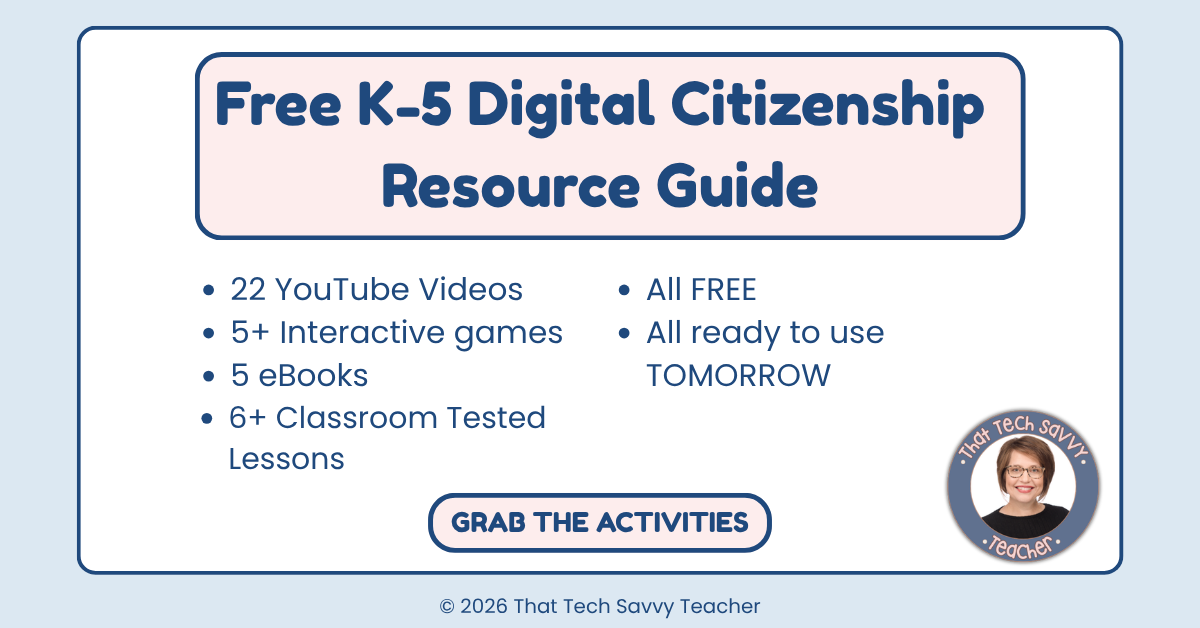
The Digital Citizenship Resource Guide is a free PDF with:
22 of my YouTube videos (organized by grade band)
5+ interactive games you can play on any device, no logins needed
5 eBooks for read-alouds or student reading
6 of my original TPT lessons and projects
Every single resource in it was created by me, for my own K-5 students. Classroom-tested. Kid-approved. Ready to use tomorrow.
One Last Thing
I can't go back and change what happened to my son in 4th grade. But I can give my students (and yours) more than I gave him. Projects they'll actually remember. Conversations that stay open. A classroom where it's safe to tell the truth when something goes wrong.
That's the work. And it's worth doing well. Small steps, every day, build a good citizen. One conversation, one project, one kid at a time.
Next up in the series: easy digital citizenship activities for K-2 students. The little ones need this just as much as older kids, but the approach looks completely different. Stay tuned.
Got a digital citizenship question or situation you want me to cover in a future post? Reply to my weekly email or leave a comment below. These posts are shaped by the real questions teachers are asking.