Digital Citizenship Lessons for Elementary Students
If you’ve ever taught digital citizenship lessons to elementary students, you already know this:
It’s not a one-and-done lesson.
It’s not something you teach once during digital citizenship week and check off your list.
And it’s definitely not something students just remember because we told them.
This is something we have to teach, revisit, and talk about all the time.
Digital citizenship lessons for elementary students are most effective when they combine video-based instruction, interactive activities, and hands-on projects. Using tools like Google Slides, online games, and real-world scenarios helps students understand internet safety, digital footprints, and responsible online behavior in a way that actually sticks.
The Importance of Digital Citizenship (and Why It Matters More Than Ever)
Digital citizenship education is, honestly, one of the most important things we can teach our students.
We are preparing young students to live in a digital world filled with:
social media posts
text messages
online games
digital devices
and constant access to information
And with that comes real challenges:
sharing personal information
understanding digital footprints
recognizing phishing scams
responding to online meanness
making decisions in digital dilemmas
Even as adults, we don’t always get it right.
I’ll be honest - there have been times in my own life where I clicked something or trusted something without even thinking. It happens fast. And it can happen to anyone.
That’s exactly why our students need repeated exposure to:
internet safety
digital safety
responsible technology use
and positive online behavior
What Is Digital Citizenship for Elementary Students?
Digital citizenship is helping students become:
a good digital citizen
a responsible digital citizen
and someone who understands how their actions affect others in the online world
At the elementary level, this includes:
protecting private information
creating strong passwords
understanding appropriate online behavior
thinking critically about fake news and reliable sources
building healthy online communities
These are not just school skills. These are real world skills that impact their daily lives.
When Should You Teach Digital Citizenship?
Many schools focus on digital citizenship week, which typically falls during the third week of October.
And yes, that’s a great way to bring awareness and focus to important digital citizenship topics.
But here’s the truth:
👉 That is not enough.
Digital citizenship should be:
woven into lesson plans
reinforced across grade level teams
modeled during everyday technology use
discussed during real classroom moments
This is not something technology teachers can tackle alone.
Classroom teachers, tech teachers, and even families all play a role in guiding digital learners through the challenges of digital life.
Digital Citizenship Resources I Use in My Classroom
I used to rely heavily on Common Sense Education and Common Sense Media - and they still have a great collection of video-based lessons.
But when some of the interactive games were taken down, I knew I needed to create my own digital resources that fit my students and my schedule.
Here’s what I use now:
🎥 1. Video-Based Digital Citizenship Lessons

I use:
Common Sense Education videos
My own YouTube lessons
These help break down specific topics like:
digital footprint
online safety
strong passwords
digital media and media literacy
I love using video-based lessons to introduce digital citizenship topics in a simple and engaging way. Here are a few I use with my students:
🎮 2. Interactive Online Games and Activities
To keep students engaged, I pair lessons with:
Online games I've made on Wordwall.net
Canva-created activities
digital board games made with Genially
escape rooms made with Genially
These focus on:
identifying wrong answers in different scenarios
solving digital dilemmas
recognizing inappropriate behavior
practicing critical thinking
Students LOVE these, and they make learning stick.
Here are a couple of the activities I have created for students to check for understanding.
🎨 3. Creative Activities (That Make It Fun)
Digital citizenship doesn’t have to feel heavy all the time.
I’ve created:
Google Slides coloring pages focused on online safety
quick activities for reviewing key concepts
simple reflection prompts
These are especially helpful for:
the youngest students
reinforcing lessons without taking much time
building understanding in a low-pressure way
While all of these digital resources are helpful, the biggest impact in my classroom has come from how I use them.
💻 My Favorite Way to Teach Digital Citizenship (That Actually Sticks)
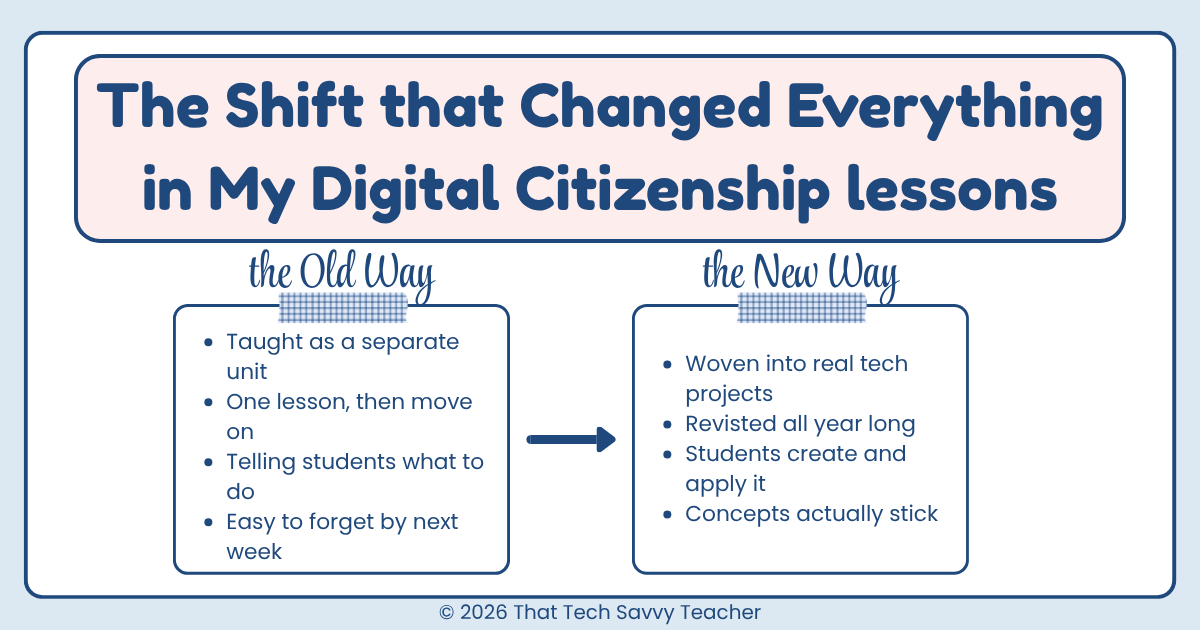
One of the biggest shifts I made in my digital citizenship lessons was this:
👉 I stopped teaching it as a separate lesson…
👉 and started combining it with real technology activities.
And this has been a game changer.
Because here’s the truth…
Students don’t remember what we tell them.
They remember what they do.
🎨 Digital Citizenship + Tech Skills = The Best Combination
Some of my most successful lessons are when I combine digital citizenship topics with hands-on projects.
For example:
One of my students’ favorite activities is creating a Digital Internet Safety PSA Poster.
Instead of just talking about online safety, students:
design a poster using digital tools
think through real-world scenarios
create a message about protecting personal information
and practice positive online behavior
At the same time, they are learning important technology skills like:
working in Google Slides or Canva
adding text and images
designing for an audience
organizing their ideas clearly
👉 This is a win-win in the tech room.
📚 Other Activities I Use
I also combine digital citizenship with:
eBooks students create about digital safety
presentation projects focused on digital footprint and online behavior
interactive assignments based on digital dilemmas
creative projects that connect to their daily lives
These types of digital citizenship activities:
build critical thinking
connect to real challenges students face
and help concepts actually stick
💡 Why This Works So Well
When students are actively creating, they:
think more deeply
make real-world connections
and take ownership of their learning
It turns digital citizenship from:
👉 something we tell them
into:
👉 something they understand and apply
🧠 And This Is the Part We Can’t Ignore
Even with all of this…
We still have to revisit these skills over and over again.
Because students don’t always realize when they’ve made a mistake online.
They’re still learning.
And honestly? We are too.
That’s why digital citizenship education has to be ongoing, across all grade levels, and reinforced by all teachers—not just in the tech lab.
Digital Citizenship Skills Students Need (At Every Grade Level)
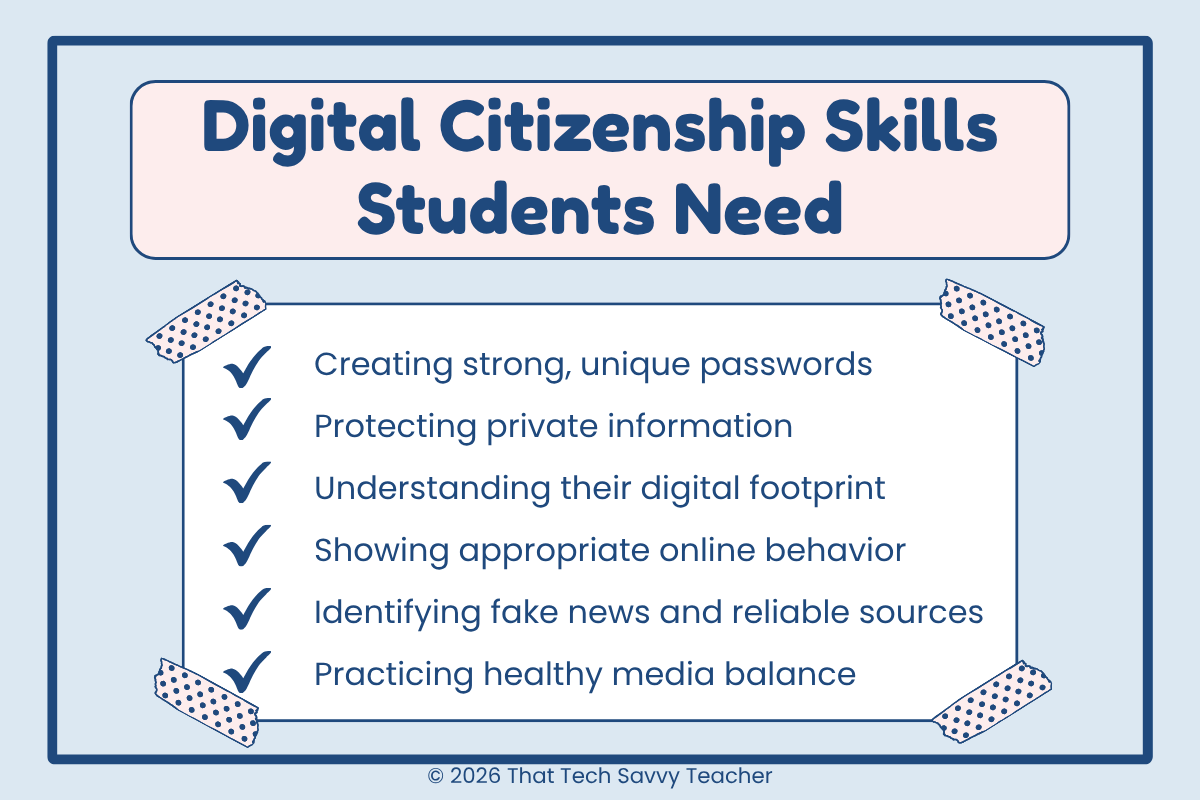
No matter the grade level, students need repeated practice with:
creating unique passwords
protecting private information
understanding digital footprints
showing appropriate online behavior
identifying fake news and reliable sources
practicing media balance (not too much screen time)
These are the core elements of digital citizenship that should be spiraled throughout the school year.
Making Digital Citizenship Part of Everyday Learning
The best way to teach digital citizenship is not through one big unit.
It’s through:
quick discussions
teachable moments
revisiting concepts
connecting lessons to real challenges
For example:
A student searches something inappropriate → teachable moment
A student shares too much personal information → teachable moment
A misunderstanding in a digital game → teachable moment
This is where real learning happens.
Final Thoughts: We Have to Keep Talking About It
Digital citizenship is not just another subject.
It’s not just part of your digital citizenship curriculum.
Digital citizenship is not something we can teach in isolation - it works best when classroom teachers and technology teachers are reinforcing the same expectations across all grade levels.
It’s a lifelong skill.
Our students are growing up in a digital environment that is constantly changing - and they need the right tools to navigate it safely.
So yes, use the videos.
Use the games.
Use the fun activities.
But most importantly…
👉 Keep talking about it.
👉 Keep modeling it.
👉 Keep guiding students through it.
Because their safety - and their future in the digital world - depends on it.
Want Ready-to-Use Digital Citizenship Activities?
If you’re trying to pull all of this together, I get it - it can feel like a lot.
Over time, I’ve started creating my own collection of digital citizenship lessons and activities that I can reuse each year and tweak as needed.
Some of the things I use with my students include:
video lessons to introduce important topics
interactive games for practice and review
digital board games and escape rooms
simple activities that still keep students engaged
Some of these are things I share for free, and some are part of a larger digital citizenship unit I’ve put together.
But honestly, the goal is just to make this easier - for you and for your students - so you can focus on what really matters: helping them make good choices in the online world.