Departmentalized sub plans. Google Slides. Done in minutes.
Sub plan templates for middle school and high school teachers that write themselves. If you teach different classes each period and need emergency sub plans, last-minute sub plans, or a reusable substitute teacher template built for a bell schedule, this tool was built for you.
You called in sick at 6am. You teach six different classes today. You need a sub plan by 7:15.
If you've ever tried to explain your entire bell schedule to a substitute on a sticky note, retyped the same class rosters over and over, or sent a sub in with no real plan and just hoped for the best, this is the solution.
You know you need a sub plan. You just don't always know how to organize six different classes in a way that actually makes sense to someone who has never been in your room. That's exactly what this tool solves.
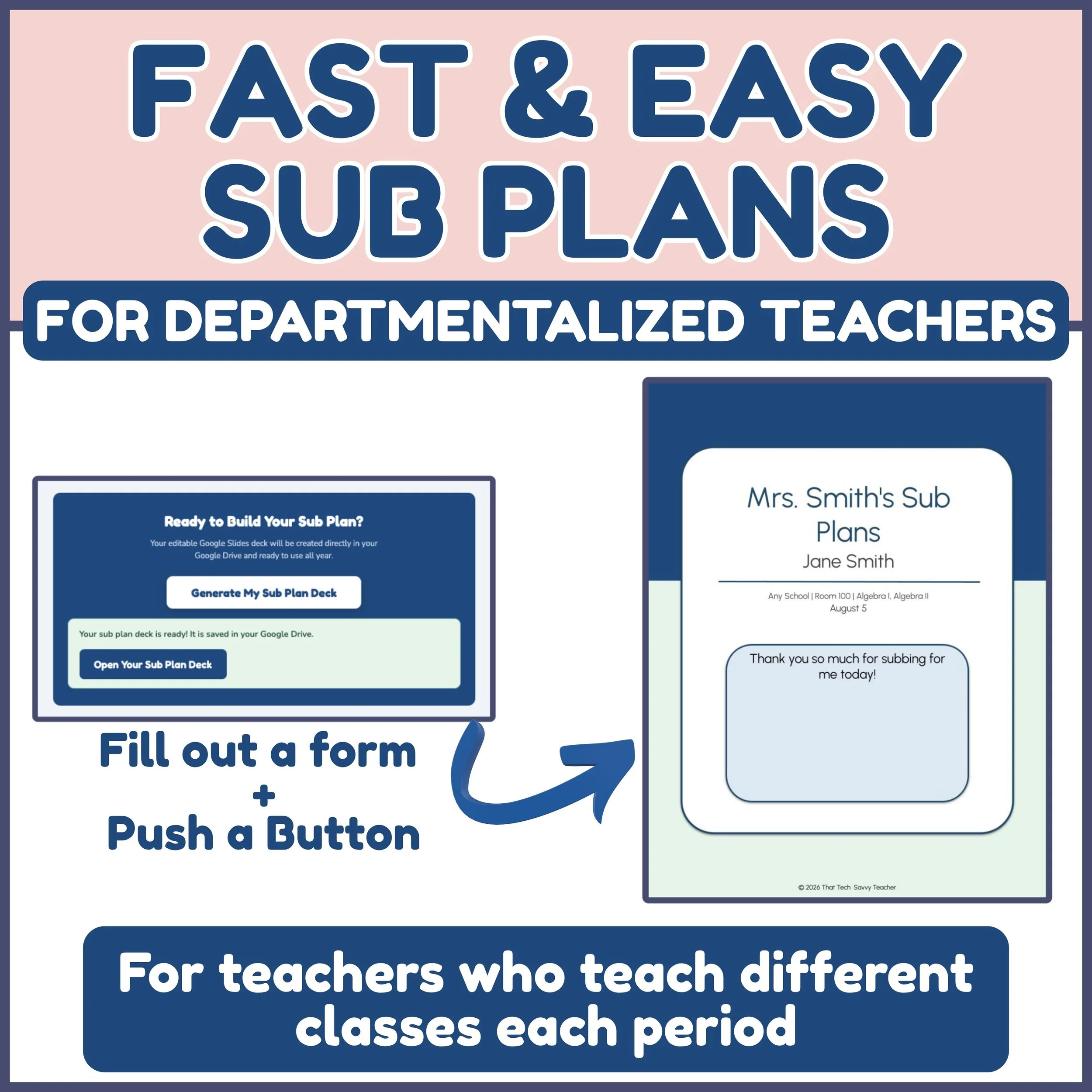
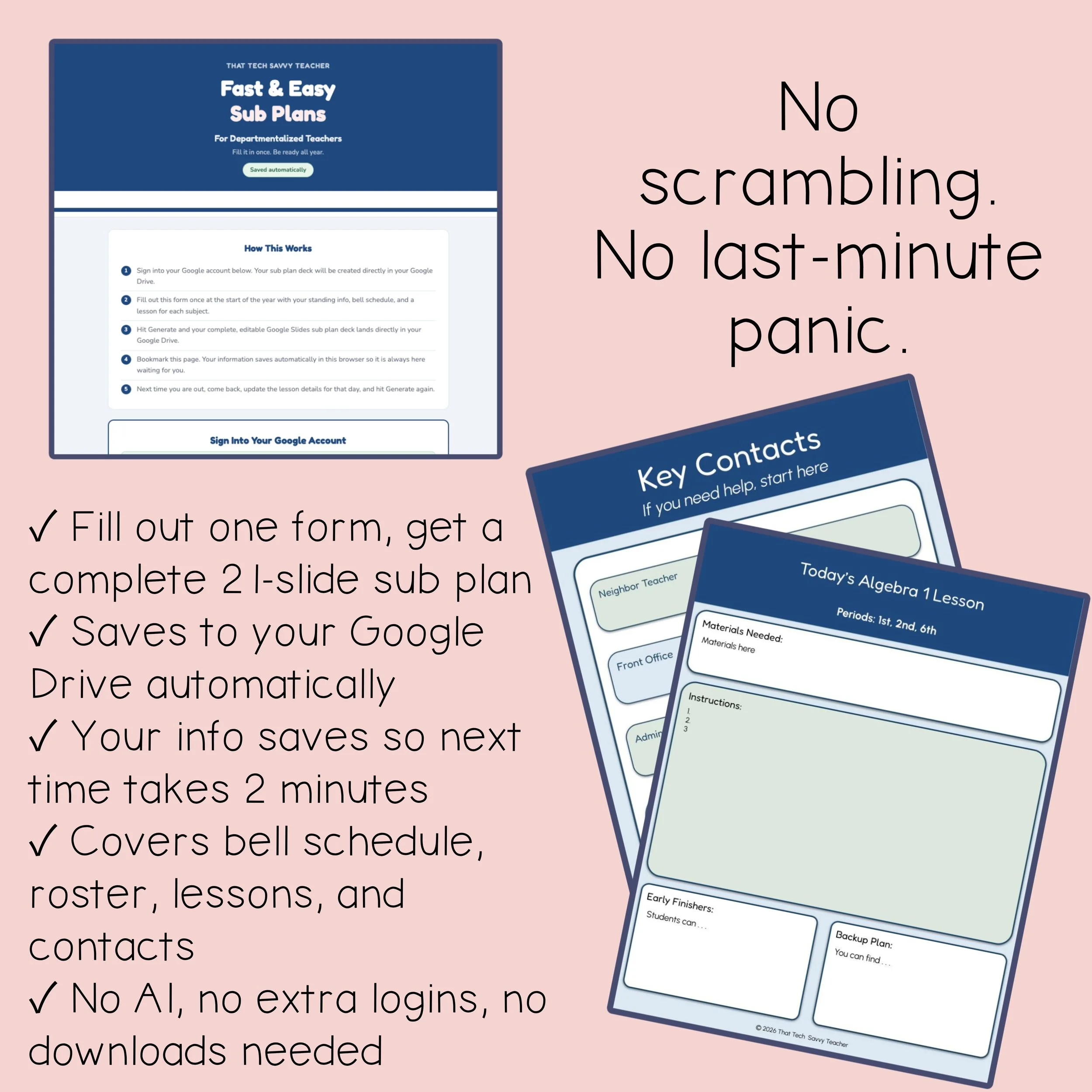
Fill out one simple form with your own classroom information: your bell schedule, your rosters, your lessons, your contacts. Press the button. A complete, fully formatted, editable 21-slide Google Slides sub plan is created with YOUR information and saved directly to your Google Drive. No AI. No generic filler content. Just your classes, organized and formatted the way a sub actually needs it.
Your information saves automatically in your browser, so the next time you need a sub plan, you update the date and your lesson plans. Everything else is already there.
What's included:
Access link to the Fast and Easy Sub Plans tool
A simple form where you enter your own classroom details
Complete Google Slides sub plan, organized and formatted for you
Auto-save feature so your info is ready for next time
Bell schedule, class rosters, lesson plans, key contacts, and more
Step-by-step teacher directions PDF
Your finished sub plan delivered directly to your Google Drive
Designed for departmentalized teachers who teach different classes each period. If you teach a self-contained elementary classroom or are a specials teacher, check out the other volumes in this series.
What teachers provide: All classroom information including bell schedule, student rosters, lesson details, and contacts. The tool handles the formatting and organization so your sub gets exactly what they need.
This resource is not AI-generated. Your content, your classroom, your plan.
Works on any browser. No extra logins. No downloads. No printing required unless you want to.
If juggling a sub plan for six classes has ever felt impossible, this is the tool that fixes that for good.
Add to cart and have your first sub plan ready in minutes.
Departmentalized sub plans. Google Slides. Done in minutes.
Sub plan templates for middle school and high school teachers that write themselves. If you teach different classes each period and need emergency sub plans, last-minute sub plans, or a reusable substitute teacher template built for a bell schedule, this tool was built for you.
You called in sick at 6am. You teach six different classes today. You need a sub plan by 7:15.
If you've ever tried to explain your entire bell schedule to a substitute on a sticky note, retyped the same class rosters over and over, or sent a sub in with no real plan and just hoped for the best, this is the solution.
You know you need a sub plan. You just don't always know how to organize six different classes in a way that actually makes sense to someone who has never been in your room. That's exactly what this tool solves.
Fill out one simple form with your own classroom information: your bell schedule, your rosters, your lessons, your contacts. Press the button. A complete, fully formatted, editable 21-slide Google Slides sub plan is created with YOUR information and saved directly to your Google Drive. No AI. No generic filler content. Just your classes, organized and formatted the way a sub actually needs it.
Your information saves automatically in your browser, so the next time you need a sub plan, you update the date and your lesson plans. Everything else is already there.
What's included:
Access link to the Fast and Easy Sub Plans tool
A simple form where you enter your own classroom details
Complete Google Slides sub plan, organized and formatted for you
Auto-save feature so your info is ready for next time
Bell schedule, class rosters, lesson plans, key contacts, and more
Step-by-step teacher directions PDF
Your finished sub plan delivered directly to your Google Drive
Designed for departmentalized teachers who teach different classes each period. If you teach a self-contained elementary classroom or are a specials teacher, check out the other volumes in this series.
What teachers provide: All classroom information including bell schedule, student rosters, lesson details, and contacts. The tool handles the formatting and organization so your sub gets exactly what they need.
This resource is not AI-generated. Your content, your classroom, your plan.
Works on any browser. No extra logins. No downloads. No printing required unless you want to.
If juggling a sub plan for six classes has ever felt impossible, this is the tool that fixes that for good.
Add to cart and have your first sub plan ready in minutes.