An Edcafe AI Review for Teachers
Edcafe AI Review: A Teacher’s Real Classroom Experience
If you love tools that help you work smarter and not harder, you might enjoy taking a look at Edcafe AI. I recently received a premium account so I could explore everything and create a full YouTube video walkthrough for teachers. This post is not sponsored. It is simply my honest review of the platform and how it fits into the learning experience of real classrooms.
I approached this as an unboxing. I logged in, clicked through every feature I could, tested the tools, and asked myself the same questions we all ask. Will this save me time? Will it support student needs? Will it improve student engagement? And most importantly, will it help me teach instead of adding more stress?
After exploring it for a while, here is what I discovered.
First Look at the Dashboard
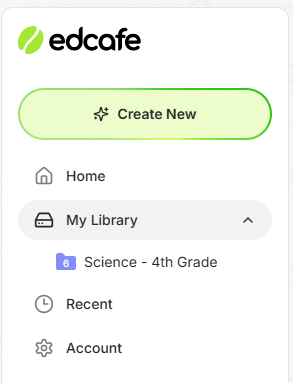
When I logged in, Edcafe AI welcomed me by name which was a small but friendly touch. The layout feels familiar with home, my library, and recent files on the side. The main page highlights standout features that cover a wide range of ai powered tools for teachers.
You can create a slide deck, quiz, custom chatbot, teaching resources, vocabulary cards, and flashcards. Everything lives in one clean space and each tool follows a similar structure. That means less time learning new menus and more time creating exactly what you need for your students.
A huge bonus is the tutorial videos that appear in every section. If you get stuck or forget a step during instructional planning, help is right there.
Content Creation Tools That Save Teachers So Much Time
Slide Deck Creator
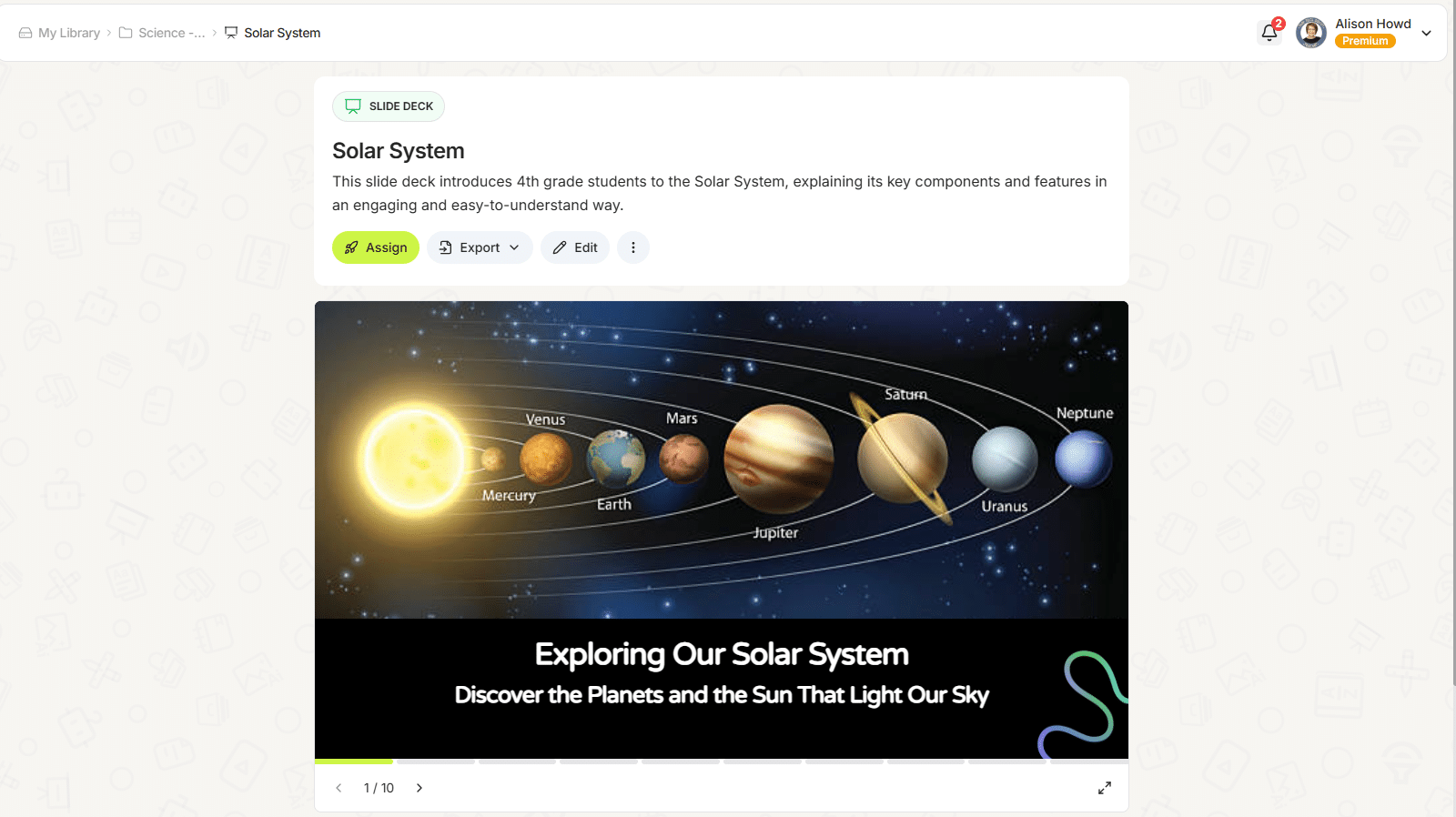
I started with the slide deck tool. I typed “solar system”, selected the student level for fourth grade, chose a theme, and let it work. It took a little longer than expected but the results were worth it. The slides were colorful, organized, and ready for student work. You can add more slides, change the theme, and save everything into folders.
This is a strong tool for teachers who want simple, attractive slides without spending much time designing them.
Teaching Resources Generator
Next, I created a full set of resources. I asked for articles, videos, worksheets, and slide decks relating to the solar system. In seconds, it gave me a folder full of materials that would normally take me an afternoon to assemble.
If your classroom needs quick access to high quality content creation, this tool is one of the best options inside the platform.
Lesson Planning and Instructional Support
The ai lesson plan generator surprised me. It created a detailed lesson plan that included:
Learning objectives
Vocabulary words
Key points
Essential questions
Online links
Class discussions
Extension activities
Assessment ideas
Daily lesson structure
Everything was organized clearly and easy to adjust. You can export the plan to a Google Doc or keep it in Edcafe AI. This gives teachers complete teacher control over the process while still saving so much time.
Quizzes and Assessment Tools
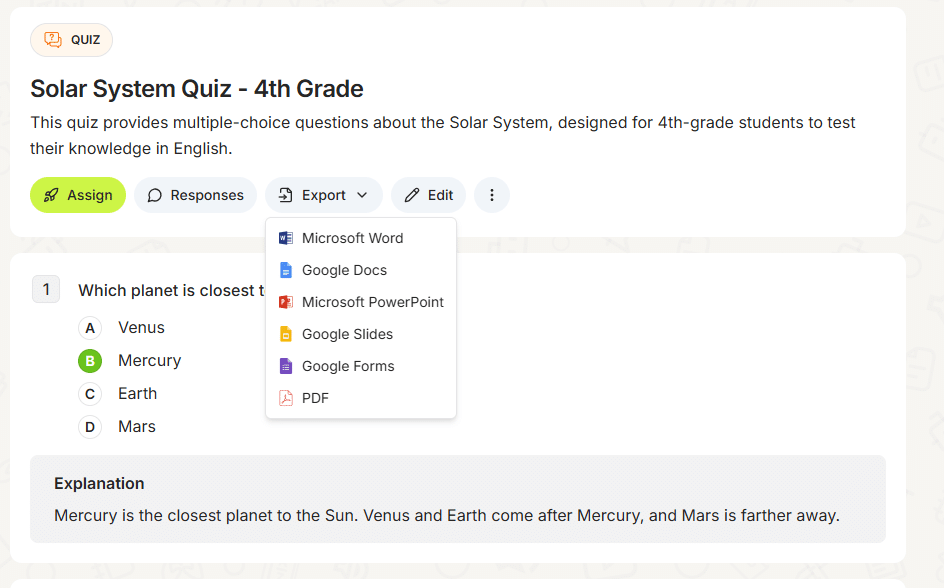
The quiz creator lets you build multiple choice or short answer questions based on your topic. I liked that it generated the correct answers automatically. Even better, you can export the quiz to a Google Form and it marks the answers for you. That alone saves a tremendous amount of class time during busy units.
You can also download the quiz as a document if you prefer printed copies or need to make changes.
Flashcards and Vocabulary Cards
Flashcards and vocabulary cards are simple to create and easy for students to use. Students can flip cards or listen to the ai voice if they need audio support. This is really helpful for individual needs and gives students another way to review important concepts.
Reading Activities and Student Support Tools
The reading activity tool created a simple passage for students to read, and I could upload my own vocabulary list if I wanted to include one. I liked that I could format the text with bold or italics to highlight important parts, add links when needed, and even insert audio to support different learners.
it gave me a clean starting point that I could customize for my classroom needs. This makes it helpful for early finishers, small groups, morning work, or any time you want students to explore content independently without spending much time creating materials from scratch.
My Favorite Feature: The Custom Chatbot
The custom chatbot is one of the most impressive generative ai tools inside Edcafe AI. You can upload your own materials such as lesson plans, slides, or articles. The chatbot then answers student questions using only your content. This creates a secure experience and keeps everything focused on your actual lessons.
Students can talk to the bot, upload files, or use the whiteboard. You can go back and check chat history which helps you understand student needs and where they might need extra support.
This feature offers a new way to help students learn independently while you work with small groups.
More Features Available Today
There are still many tools inside Edcafe AI that teachers may want to explore. The platform also includes:
AI image generator
AI speech creator
Summary note creator
YouTube quiz builder
Assignment grader
Reading activity options
Additional templates for instructional planning
Tools for a wide range of subjects
Edcafe AI is actively growing, so even more features continue to appear.
How AI Helps Teachers Without Replacing Us
I know many teachers feel unsure about bringing AI into the classroom. Here is what I learned after exploring tools like Edcafe AI.
AI does not replace teachers.
AI supports teachers.
We still lead instruction.
We still read our students.
We still understand classroom needs and individual needs.
AI simply helps us work with less time spent on the tasks that pull us away from teaching. It helps us prepare lessons faster, build materials that support every learner, and respond to student needs in real time.
The biggest benefit is that AI gives us more time to teach and more energy to connect with our students.
That is something technology can never replace.
Watch My Full Edcafe AI Video Review
If you want to see me test everything in real time, you can watch the full video here:
You will see me explore each feature step by step so you can decide if it fits your classroom.
Try Edcafe AI for Yourself
You can explore the free version first and decide whether you want the premium features. If you decide to upgrade, you can use my affiliate link here:
It will not cost you anything extra and it helps support my channel and future videos.
Thank you for spending time reading my Edcafe AI review. I hope this helps you decide whether this platform is the right fit for your classroom and your students.
