Let me say this first
Teaching technology to students of all ages can feel overwhelming.
There are countless tools, new technology, and what feels like a new app every week. You might feel like you never have enough time to figure out the best way to teach everything.
👉 But here is the good news
It is not about the number of tools
It is about your system
That is the best way to reduce overwhelm.
The common misconception
One common misconception is this:
👉 You need more digital tools to improve student learning
That is not true.
You do not need:
a large number of tools
every new thing
every trending tech tool
In fact, too many digital tools can make your classroom feel chaotic.
What you actually need is:
👉 structure + consistency + a clear plan
What I knew before I ever started
Before I became a tech teacher, I had 20 years of experience as a classroom teacher.
So I already knew this:
👉 If your learning environment is not predictable, nothing else works
That meant:
strong routines
clear expectations
systems that support students of all ages
Because when that is in place:
classroom management improves
student engagement increases
you create better learning experiences
I did not start with lesson planning
I started with structure.
This is a different way of thinking, but it is one of the most important practical strategies I can share.
Instead of focusing on lesson planning first, I focused on:
how my class would run
how students would enter
what they would do first
how they would access everything
Because I knew:
👉 Once the system works, everything else becomes easier
And in the long run, it saves a huge amount of time.
My classroom runs on systems
My classroom is built on:
spreadsheets
organized digital platforms
clear routines
This helps me:
manage over 800 students
track student progress
handle daily teaching tasks
It saves valuable time and gives me extra time to focus on students.
The first big realization
Even with a strong system, I realized something quickly.
👉 I could not keep repeating myself all day
With a rotation schedule, I was explaining the same lesson over and over in real time.
That was one of my first hurdles.
Video lessons changed everything
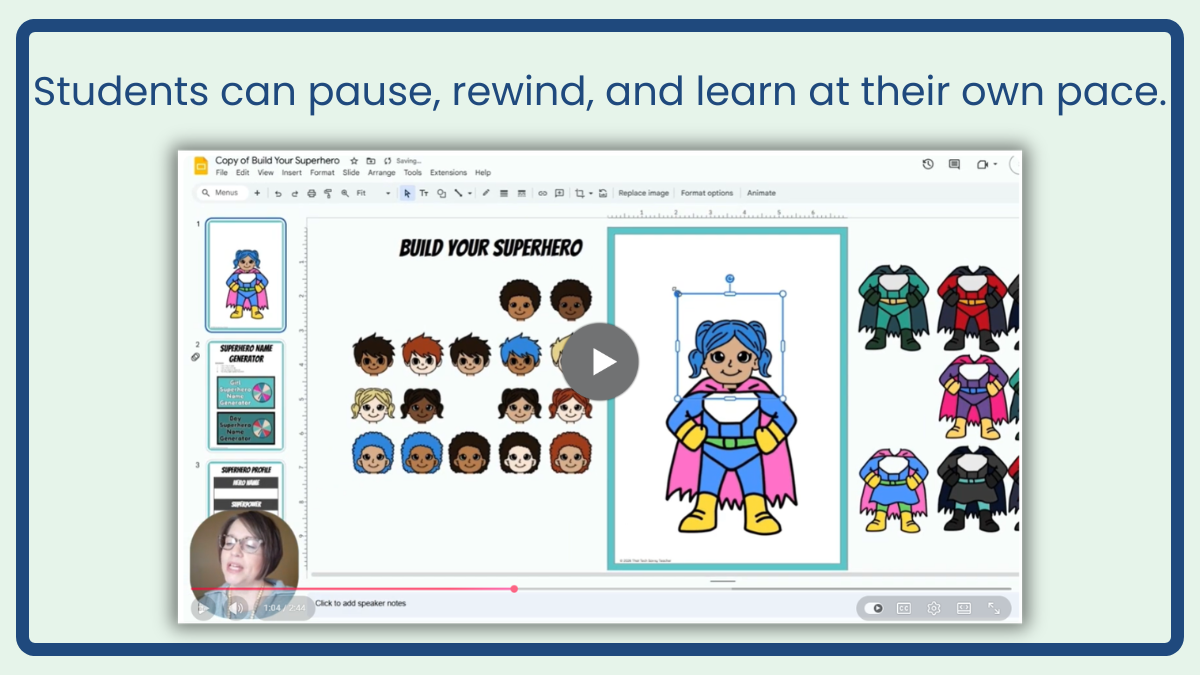
I started creating video lessons early on, but this year I began using Descript, and it has made a huge difference for me.
It saves me so much time, and honestly, that is what matters most. I want to use my time wisely.
The best part is I do not have to worry about messing up while I am recording. I can just keep going, because editing is as simple as editing a document. That alone has taken a lot of pressure off.
And more importantly, it solves a real problem in my classroom.
👉These videos act as a simple digital presentation tool that students can follow at their own pace.
Students can:
pause
rewind
rewatch
This improves:
student understanding
student engagement
independence
It also helps build:
problem-solving skills
confidence when working through more complex problems
Here is exactly how my classroom is structured
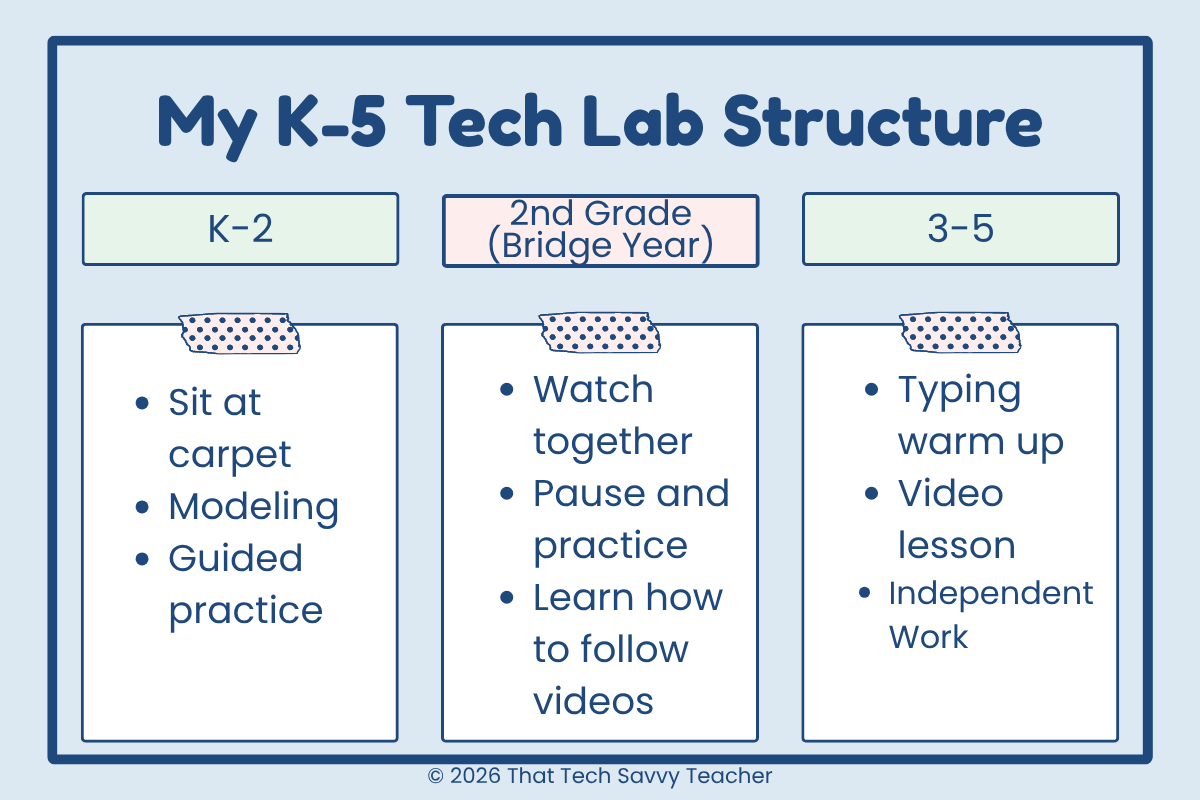
👉 K to 2 looks completely different
Kindergarten through second grade is all about foundations.
Students:
start on the carpet
watch me demonstrate
follow along step by step
There are no independent video lessons here.
This is where I focus on:
digital literacy
keyboard and mouse skills
pattern recognition
I also design my Google Site differently for them.
Instead of text buttons, I use:
shapes
numbers
visual cues
Everything is built for their level and supports the unique needs of your students.
👉 2nd grade is the bridge year
Second grade is where everything starts to shift.
👉 This is where I begin introducing video lessons
But we do it together.
I:
play the video
pause it
explain it
model it
Students are learning:
the skill
how to learn from a video
This prepares them for:
online learning
independence
solving specific problems
👉 3rd to 5th is full independence
This is where everything changes.
Students:
go straight to computers
follow a routine
work independently
My structure is always:
10 minute typing warm up (I use Typesy)
quick intro
video lesson
independent work
This supports:
active participation
student engagement
collaborative learning and group work when needed
The exact tools I use (nothing fancy)
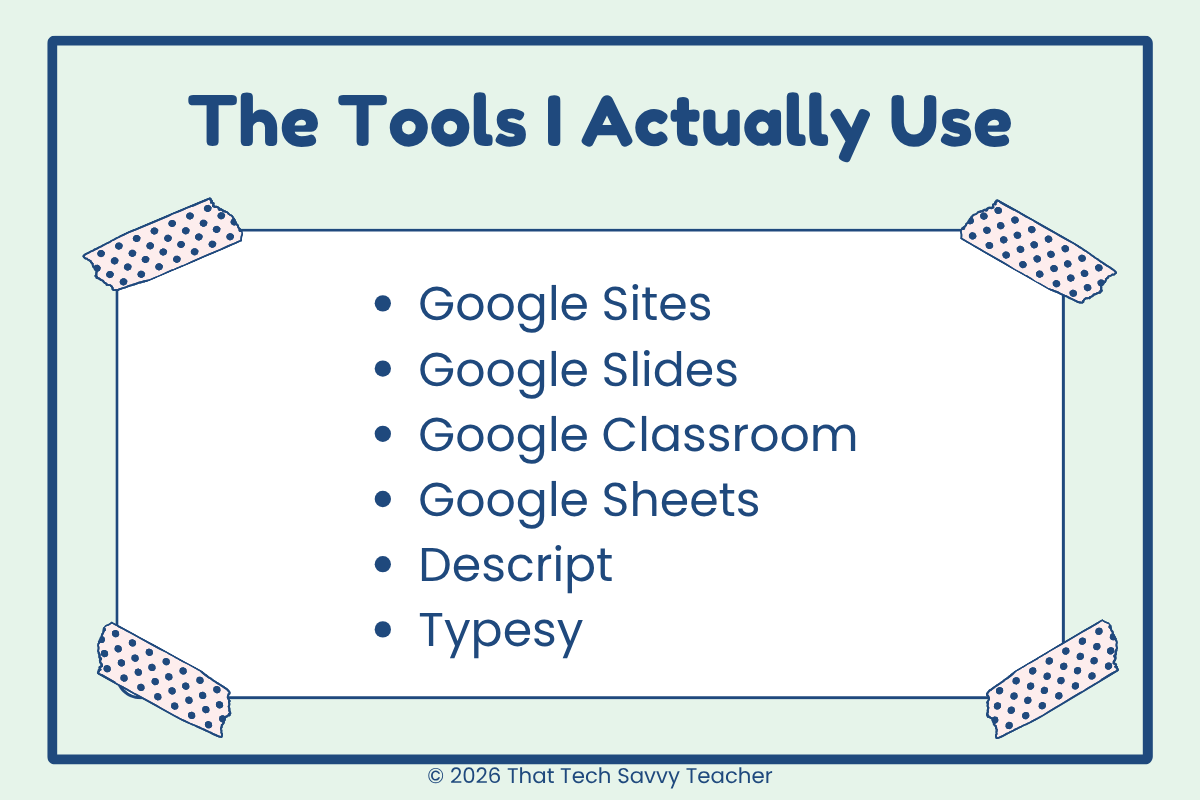
If you are wondering what this actually looks like, here is what I use every day:
Google Sites → my central hub where students access everything
Google Slides → lessons, activities, and student work
Google Classroom → my learning management system
Google Sheets → attendance pages, lesson plans, and keeping everything organized
Descript→ to create video lessons (This is an affiliate link - no extra cost to you!)
Typesy → typing warm up
That is it.
👉 You do not need a huge number of tools
👉 You just need the right ones used consistently
If you’re tired of trying to piece together tech lessons week by week, I created a full K–5 structure inside my Ready to Click Tech Lab that takes that pressure off.
Creating a central location
My entire classroom runs through Google Sites.
Students always know:
where to go
what to do
what comes next
That consistency makes a huge difference. It improves the learning environment, supports all learners, and cuts down on confusion and repeated directions.
If you want to see what this looks like in a real classroom, you can check out my sample site here:
👉 Click Here
Using a learning management system
For me, that is Google Classroom.
I use it primarily with 3rd through 5th grade, once students are ready for more independence.
In 2nd grade, I begin introducing it after Christmas, but it is very mild. At that point, I am really just helping them get familiar with it and preparing them for what they will be doing in 3rd grade.
By the time they reach upper elementary, they are ready to use it more independently.
It allows me to:
assign work
collect student work
track progress
It is one of the most useful digital tools I use, and it fits naturally into my system once students are ready for it.
Planning for early finishers (this is huge)
You always need a plan for early finishers.
👉 This is one of the most important parts of classroom management
Because if you do not have a plan, this is when:
students get off task
behavior issues start
you lose control of your learning environment
So I made this part of my system.
I created a bookmarks page inside a Google Slide, and I placed it directly on my Google Site so students always know where to go.
Inside that slide, I have it organized by grade levels:
K to 1
2 to 3
4 to 5
Each section includes:
carefully chosen online resources
interactive tools
favorite websites
a few game-based learning tools
Nothing random.
Everything is intentional and appropriate for that age group.
👉 Students do not ask me what to do next
👉 They already know
And that is what makes this so powerful.
I created this a couple of years ago, and now I only make small changes when I want to update or swap out a site.
It is one of those systems that took a little time upfront, but now saves me time every single day.
It also keeps students engaged and supports independent learning without creating extra work for me.
(You can actually see an example of this below.)
Where AI fits in
I use generative AI and other ai-powered tools to:
brainstorm ideas
improve lesson planning
solve specific problems
It helps me work smarter and saves time.
What actually reduces overwhelm
👉 It is not more tools
👉 It is not every new app
👉 It is not chasing new technology
It is:
structure
consistency
systems
That is the best way to make a real impact.
The part people do not always see
Because I built everything ahead of time:
my classroom runs smoothly
students know what to do
even a substitute can follow it
And honestly…
This is the most enjoyable job I have ever had.
If you are feeling overwhelmed
Start here:
👉 Build your routine
👉 Create structure
👉 Make small changes
You do not have to do everything at once.
If you want help getting started
This is exactly why I created:
👉 my K-5 Technology Curriculum Map
👉 the Ready to Click Tech Lab
Because I know what it feels like to:
try to figure everything out
feel like you do not have enough time
want a better way
Inside, I give you:
the structure
the lesson plans and student-facing videos
the systems
So you can stop guessing and start teaching with confidence.
Final thoughts
Teaching technology is an important part of education today.
It supports:
critical thinking
student engagement
better learning experiences
And here is the good news:
👉 You do not need everything
👉 You just need a system that works
FAQ
-
Start simple. Tools like Google Sites, Google Slides, and Google Classroom are a great foundation. You do not need a large number of tools.
-
Second grade is the bridge year. Start by modeling video use together before expecting independence in third grade.
-
Focus on structure and routines first. Using video lessons and a central location like Google Sites will save you time in the long run.
-
No. There are always new things coming out, but the best results come from using a few strong tools consistently.
-
If you are looking for a complete system with lessons, structure, and everything already mapped out, you can check out my curriculum map and the Ready to Click Tech Lab.
I created it based on exactly what I use in my own classroom, including the routines, video lessons, and organization that help everything run smoothly.
It is designed to give you a clear starting point so you are not trying to figure everything out on your own.
